Privacy Report
Votiro tracks files containing sensitive data submitted for testing in the Management Dashboard.
You can generate a privacy report of the activity in your organization for a specified period.
The report collects statistics of the sensitive data activity. The privacy report files generated are used internally by Votiro for support and research purposes.
To generate a Privacy Report, follow these steps:
|
1.
|
In the navigation pane, click Reports >
Privacy report.
|
|
2.
|
Click Channels, then select the connectors you
wish to appear in the report.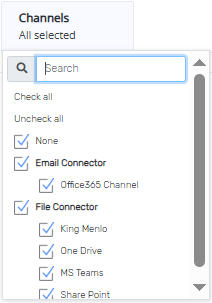
|
|
3.
|
The default range of dates for the report is from yesterday to
today.
To define a date range for your report, follow these steps:
|
|
a.
|
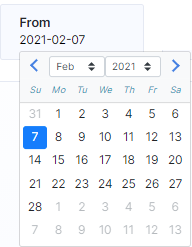
To select the start date from the report, click From,
a calendar displays.
|
The selected date is blue. To change the start date navigate to the desired start month and year by clicking the right and left arrows, or by selecting a month and year using the up/down arrows. Then tap the day for the report to start from.
|
b.
|
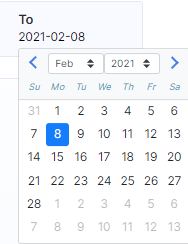
To select the end date from the report, click To,
a calendar displays.
|
The selected date is blue. To change the end date for the report use the selection steps described in 3a above, tapping the day for the report to end.
|
4.
|
Click Generate Report. The Privacy report is generated.
|

Comments
0 comments
Please sign in to leave a comment.